
Explore SAP Advanced Financial Closing, including task templates, automation, scheduling, monitoring and workflows that help teams manage financial close tasks.

Financial close is a key activity for every organisation. At the end of a month, quarter or financial year, finance teams are faced with the need to do all their accounting work, check financial data, fix errors, and generate reports before deadlines. The more business entities and systems the process touches, the more difficult the process becomes.
SAP Advanced Financial Closing enables companies to automate, plan, streamline, and monitor financial close processes. It centralises the management of closing activities, monitors the status, and increases transparency across the company. Learning about the features of this solution can benefit SAP consultants and finance professionals who want to learn more about financial close management.
In this article, we see what is SAP Advanced Financial Closing (AFC) and its reasons, features, process and advantages of the solution. Also, we see the main topics covered in SAP Advanced Financial Closing Training.
SAP Advanced Financial Closing facilitates you in planning, executing, and monitoring a financial close by providing an integrated solution across your enterprise. It enables you to identify and manage different closing tasks and activities.
Rather than relying on spreadsheets, emails and standalone task lists, Finance teams can leverage the solution to sync closing activities by leveraging task templates, workflows, alerts and tracking.
The solution allows organisations to establish consistent closing procedures, define dependencies between tasks and track progress across subsidiaries and headquarters. It can also facilitate activities with multiple systems and teams.
Businesses that have complex financial operations and have a requirement to gain more control over period-end and year-end closing activities.
Financial closing is the last step before financial statements and management reports are completed and checked. Accounting work like journal entries, reconciliations, posting of depreciation, accruals, intercompany activities and financial validation.
If a closing process is not properly implemented, finance teams will face:
SAP Advanced Financial Closing helps to solve this problem by enabling consistency and transparency in the cross-departmental execution and follow-up of your closing activities.
This solution provides numerous features that assist finance teams to do financial closing work more efficiently.
Standardised closing tasks templates assist organisations in developing templates for ongoing financial close activities. You can add tasks, assign owners and identify the order in which they should be completed.
Templates can be replicated for different clients and closing cycles. This allows companies to keep their consistency and yet still customize the structure of tasks for their particular business.
Some financial closing activities are sequential, meaning that one must be finished before the next can commence. For instance, financial review processes may have to be finished before the next reporting process can be started.
SAP Advanced Financial Closing also supports task sequencing and dependencies. Teams will know in advance what needs to be performed first so that task overlap and waiting are avoided.
Certain activities for financial close could be repetitive and will be done through either jobs or other automation jobs. The solution defines the types of activities such as jobs, manual activities, workflows and external application jobs.
Scheduled or event-driven triggering of due or required activities: Through the various configurations and integrations, eligible activities can be scheduled or triggered by specified event. This provides for a reduction in the manual co-ordination and allows employees to do what they do best - review and judge.
Monitoring is a must when several teams are delivering the closing activities.
This solution allows for insight into the status of activities and closing progress. Finance managers can see what has been done, what's still to be done, and monitor what is lagging and needs focus.
This improves transparency across business entities and helps managers respond to potential delays.
Notifications- Notifications can inform employees about their assigned work, due dates, and tasks that demand their attention. Workflow functionality, too, can assist you with approval workflows.
These features facilitate communication between accountants, managers, and other third parties who are involved in the financial close.
Financial Closing has information related to tasks, log and audit trails.
Users can view the relevant task details and keep supporting information, enabling companies to improve their closing controls and documentation.
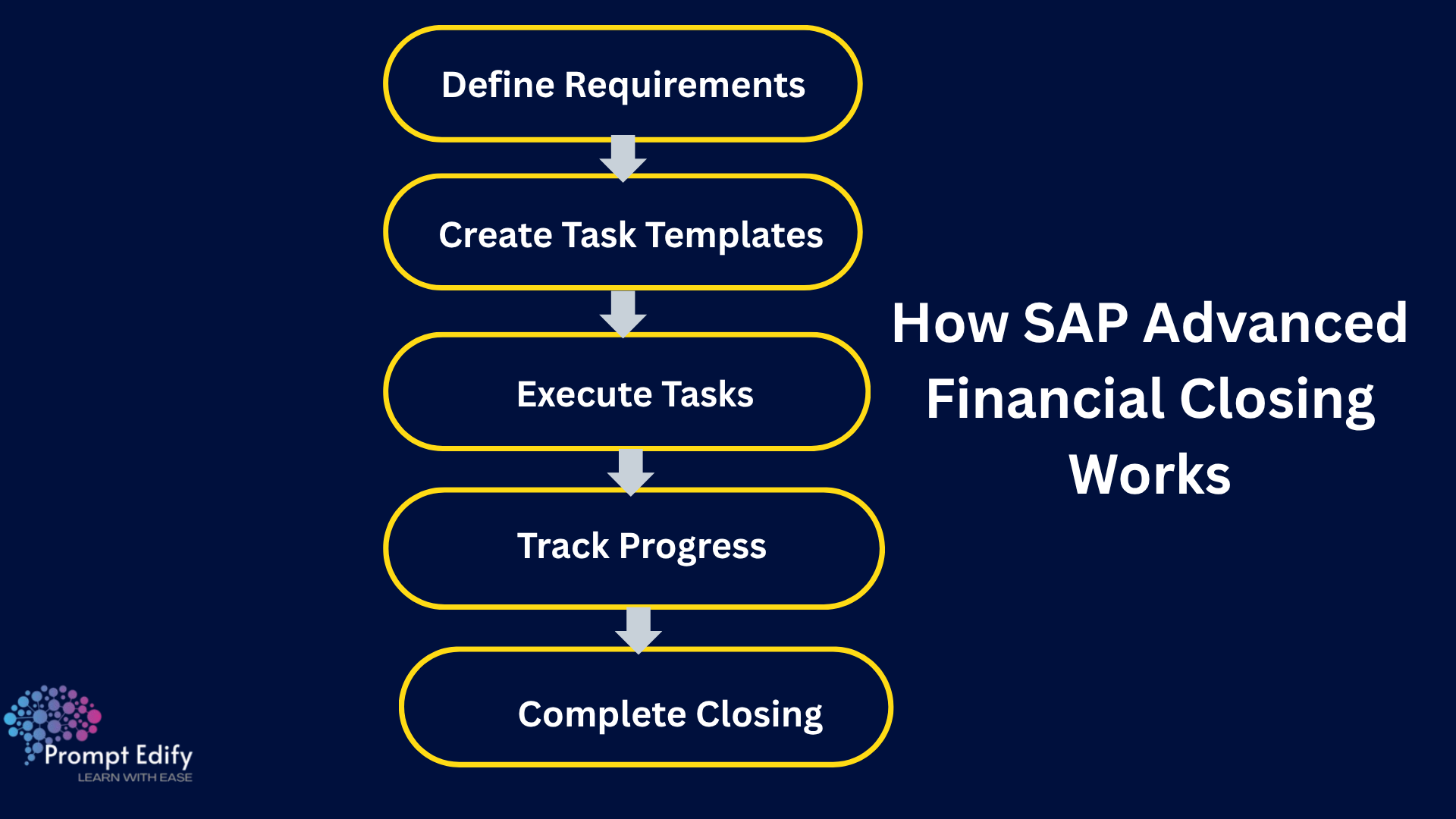
The financial closing process typically consists of the following phases: A structured financial closing workflow is built into SAP Advanced Financial Closing in order to streamline the work steps.
The organisation specifies what needs to be done for the monthly, quarterly or annual closure of the company's books. These are planned with respective deliverables, deadlines and interdependencies taken into account.
Tasks can be grouped in templates. Organisations can define task sequences, allocate tasks, and reuse appropriate templates for different closing cycles.
Users of the assignment carry out the activities. Activities can be performed manually, via scheduled jobs, supported flows, and applications according to the task type and setup.
Managers and authorised users check the status of the tasks, and they see which activities have not been completed or where there are errors or delays. They can see the overall progress of the closing process.
The team catches up on incomplete activities, considers the relevant outcomes and verifies that it has all been done as per the organisation's closing standards.
SAP Advanced Financial Closing enables the financial close process within SAP's comprehensive finance environment. It facilitates the orchestration of activities that may span SAP S/4HANA and other systems that are in scope.
SAP S/4HANA Finance facilitates financial accounting, control and financial info processing SAP Advanced Financial Closing, alternatively, handles the planning and distribution of financial close actions by which the financial close is delivered to completion.
Being familiar with both can give finance professionals a new level of insight into how accounting and closing management are related.
SAP Advanced Financial Closing Training may be useful for professionals involved in financial operations, accounting, and SAP implementation projects.
It can be particularly relevant for:
A basic understanding of accounting and the Record-to-Report process can help learners understand the concepts more effectively.
Many professionals have a grasp of what financial closing management is to understand how groups within organisations manage accounting processes across various departments and systems.
Prompt Edify offers SAP training courses and corporate learning programmes to help you upskill yourself or your team with relevant SAP knowledge. Our SAP training allows learners to learn about SAP finance concepts and learn how solutions like SAP Advanced Financial Closing would fit into broader financial processes.
If your aim is to increase your experience in financial close orchestration, SAP Advanced Financial Closing Training is a good stepping stone. Share your learning needs with Prompt Edify to get a sense of the suggested curriculum, delivery methods and options.
By Team Prompt Edify
Have any enquiry? Call us
+(27) 740294414
(+91) 99932-86938
wecare@promptedify.com


Prompt Edify Africa (PTY) Limited
2nd Floor, Rivonia VillageCnr Mutual Road and Rivonia Boulevard Rivonia Village, 2191
Johannesburg , South Africa
Contact : +27740294414
Prompt Edify East Africa Limited
KN 78 ST, Kagarama, Kigali, Kigali, Nyarugenge, Umujyi wa Kigali, Rwanda
Contact : +250 727 845 771
Prompt Edify Private Limited
4th Floor #15, City Vista Tower, Fountain Road,
Kharadi, Pune(MH), India.
PIN- 411014
Contact : (+91) 99932 86938



Contact Us Today!
+27740294414 | (+91) 99932 86938 | +250 727 845 771
contact@promptedify.com | wecare@promptedify.com
🌐 https://promptedify.co.za/