
Learn SAP SD fundamentals, including sales orders, pricing, delivery, billing and integration, while exploring business benefits and career opportunities.

Sales management is not only about getting the customers' order and delivery of goods to them. Companies should consider such things as price management, inventory check, order processing, shipping, accounting, and customers' data. And when all these operations are managed by different systems, this can influence the whole sales process negatively.
Here comes SAP SD that will help companies integrate the management of all these sales and distribution operations into one system. SAP SD is one of those modules that can be studied by beginners to get an idea of SAP.
SAP SD refers to SAP Sales and Distribution. SAP SD is an essential functional module of the SAP ERP system, which helps organizations to manage sales processes from the point of receipt of the query by the customer up to the delivery of the product with billing.
It combines different sales processes with other business processes, such as inventory management, material management, and financial accounting, thus ensuring that data is transferred from one department to the next without the need to enter data again and again.
For example, when processing an order from a client, SAP SD helps to check if the product is available, calculate the price of the product, process the delivery and make bills. Appropriate financial data is sent to the accounting department.
In short, SAP SD helps manage the entire process of sales efficiently.
The sales departments deal with a variety of tasks every day. With no well-connected system, order management, stock management, pricing and billing process may become difficult.
With SAP SD, a systematic approach to these processes is maintained. Some of the key advantages are:
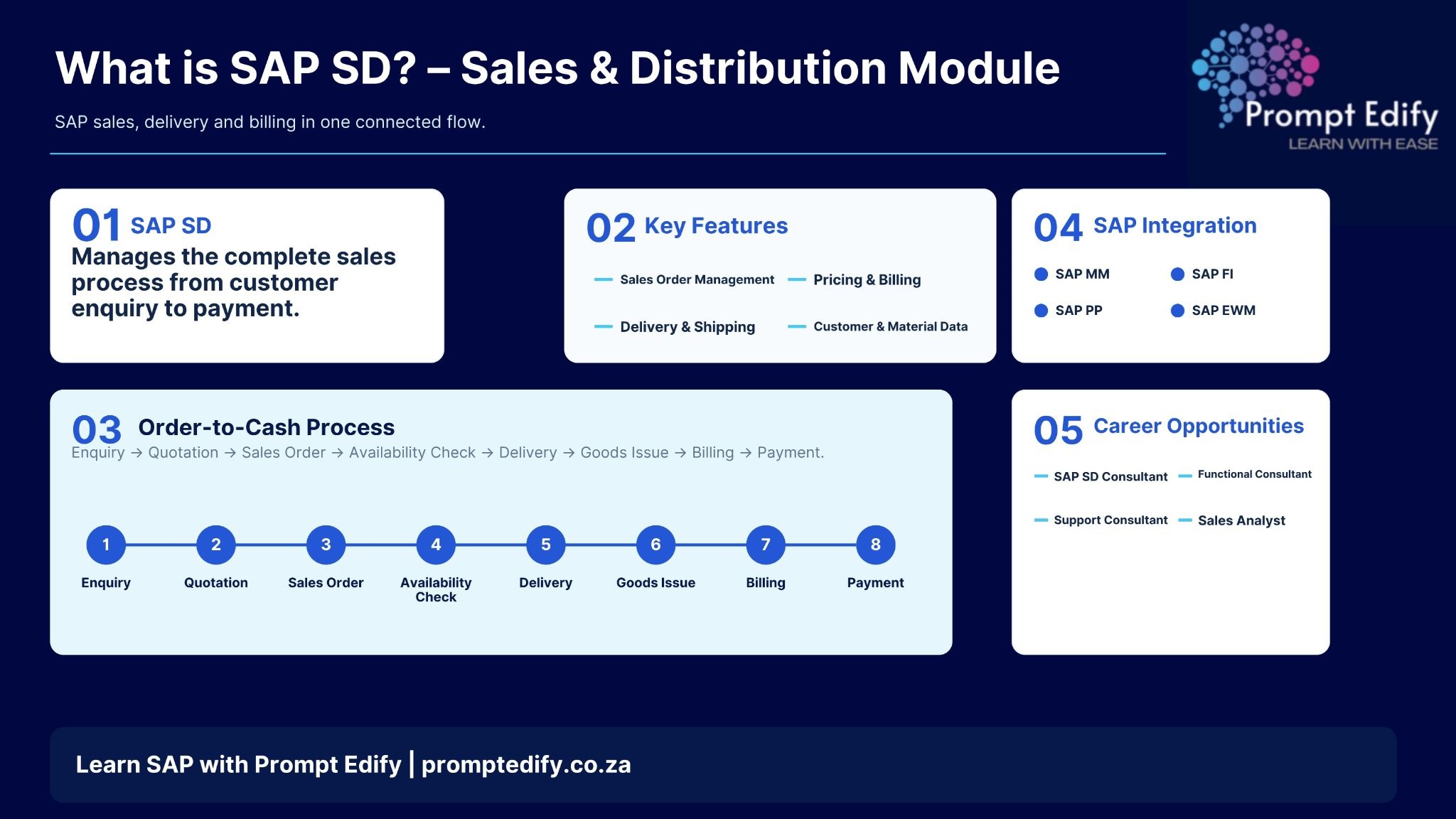
There are certain features found in SAP SD that facilitate various stages of sales and distribution activities.
One of the important features provided by SAP SD is sales order management. The feature enables employees to capture the sales order of customers complete with product details, quantity, price, date of delivery, and customer details.
Pricing refers to the total cost a customer has to pay for his goods and services. SAP SD facilitates conditions of pricing such as base price, discount, surcharge, and tax.
Billing is the function of generating invoices using the data from sales order or delivery order.
Once an order is placed, the next stage – delivery process – begins. The SAP SD supports processes for preparation of delivery documents, picking, packing and goods issues.
These processes make it possible to coordinate the flow of goods and monitor customer deliveries within the warehouse and logistics.
The system uses customer master data and material master data to conduct the sales process. The former provides customer information, such as the address, payment terms, etc., while the latter provides product-related information.
Correct master data reduces mistakes in the order processing.
As a beginner, having knowledge on the entire process will make learning SAP SD easier.
These steps may include the following:
This entire process is usually referred to as the Order to Cash Process.
Interface with other SAP systems is one more key function of SAP SD.
It allows various departments to work together for business information. Interaction with Other SAP Systems in SAP SD
One more important activity involved with SAP SD is the interaction of SAP SD with other SAP systems.
It allows different departments to work together on business information.
SAP SD skills can create career options for people interested in sales operations and enterprise resource planning systems. Jobs that can be considered following SAP SD skills include SAP SD Consultant, SAP Functional Consultant, Sales Operations Analyst, SAP Support Consultant, and SAP SD Business Analyst.
Some fundamental concepts relating to the business process, order management of the customer, and ERP system can prove beneficial for beginners. Experience in sales documentation, pricing conditions, delivery process, and billing is crucial.
To understand what SAP SD is, one needs to have some idea about how modern organizations handle their sales and distribution operations. This module is important for carrying out several business operations in an integrated manner from customer inquiries to sales order creation, delivery of the product and billing.
Learning SAP SD is beneficial for learners, fresh graduates and even working professionals as it can provide them functional knowledge of ERP and give them some scope to work in the SAP domain.
The training courses at Prompt Edify can enable the learners to gain insights into critical SAP concepts along with some practical knowledge of business processes.
Explore SAP Training Courses at Prompt Edify.
By Team Prompt Edify
Have any enquiry? Call us
+(27) 740294414
(+91) 99932-86938
wecare@promptedify.com


Prompt Edify Africa (PTY) Limited
2nd Floor, Rivonia VillageCnr Mutual Road and Rivonia Boulevard Rivonia Village, 2191
Johannesburg , South Africa
Contact : +27740294414
Prompt Edify East Africa Limited
KN 78 ST, Kagarama, Kigali, Kigali, Nyarugenge, Umujyi wa Kigali, Rwanda
Contact : +250 727 845 771
Prompt Edify Private Limited
4th Floor #15, City Vista Tower, Fountain Road,
Kharadi, Pune(MH), India.
PIN- 411014
Contact : (+91) 99932 86938



Contact Us Today!
+27740294414 | (+91) 99932 86938 | +250 727 845 771
contact@promptedify.com | wecare@promptedify.com
🌐 https://promptedify.co.za/