
Explore Segregation of Duties in SAP GRC, common access conflicts, risk analysis, remediation and mitigating controls that strengthen financial and security controls.
Business systems and information must be available for your staff to do their day-to-day job. Yet, providing one person with access to information and systems that is excessive and allows them to complete multiple related processes without an independent check opens up the possibility of the person exploiting company resources. For instance, a staff member able to create a supplier and authorise payments for that supplier.
That's where Segregation of Duties (SoD) comes into play. Segregation of Duties is a principle of internal control designed to prevent excessive errors and opportunities for fraud by ensuring that no single individual has control over all aspects of any critical financial transaction. SAP GRC's SoD analysis identifies and monitors conflicting permissions and risks in the SAP landscape.
Know how SoD is relevant to SAP security staff, auditors, and risk and finance personnel who have to analyze the processing of financial transactions, as well as user access rights.
Segregation of Duties (SoD) is the practice of dividing a set of related business processes (or some, but not all processes) between different people.
The objective is to reduce the risk of fraud, error or unauthorised transactions by encouraging the use of reasonable procedures and independent checks.
For example, if the process of making a supplier payment involves one person creating the supplier information, someone else reviewing the supplier's invoice and someone else authorising the payment, then it becomes more challenging for any one individual to create a fictitious supplier and transfer the company's money.
SoD helps in managing finance, procurement, inventory, and other activities where users access sensitive data or financial information.
Segregation of Duties (SoD) is the practice of dividing a set of related business processes (or some, but not all processes) between different people.
The objective is to reduce the risk of fraud, error or unauthorised transactions by encouraging the use of reasonable procedures and independent checks.
For example, if the process of making a supplier payment involves one person creating the supplier information, someone else reviewing the supplier's invoice and someone else authorising the payment, then it becomes more challenging for any one individual to create a fictitious supplier and transfer the company's money.
SoD helps in managing finance, procurement, inventory, and other activities where users access sensitive data or financial information.
SAP GRC (Governance, Risk and Compliance) provides solutions that help organisations manage governance requirements, business risks and compliance activities. One important Area is access risk management via SAP Access Control.
SAP Access Risk Analysis (ARA) allows organisations to determine any risk associated with access to objects, for example, users, roles, profiles, and so on. Based on defined rulesets, ARA assesses whether or not any assigned actions and permissions could cause conflicting access.
Organisations can define actions, permissions, business functions and risk rules for SoD analysis. These are used by SAP Access Control to identify combinations of access that could lead to a conflict.
Using the results, security admins, risk owners, and compliance team members can trace access assignments and determine next steps.
SoD conflicts can be encountered within the business processes themselves. Typical examples are:
An employee who has the ability to create vendor master records and process payments may, where control is inadequate, create an unauthorised supplier and then make payments to that supplier. Separating the abilities would mitigate this risk.
Purchase order if the same person can both create and approve the purchase order there could be a lack of an independent review of the purchase decision. Organisations can split purchasing and approval processes.
A lone employee who can both enter supplier invoices and approve payments can either originate or process unauthorised transactions. Separating these duties can provide added strength to accounts payable controls.
When a customer is able to keep customer details and carry out sales or billing activities, the organisation could be at risk from inaccurate customer data or unauthorised transactions.
A user who is authorized to generate journal entries and authorise the journal entries could have too much control of accounting entries. It is good practice to have one user generating journal entries and a separate user to authorise them.
The true risk is a function of the business processes of the organisation, the access policies and internal control needs.
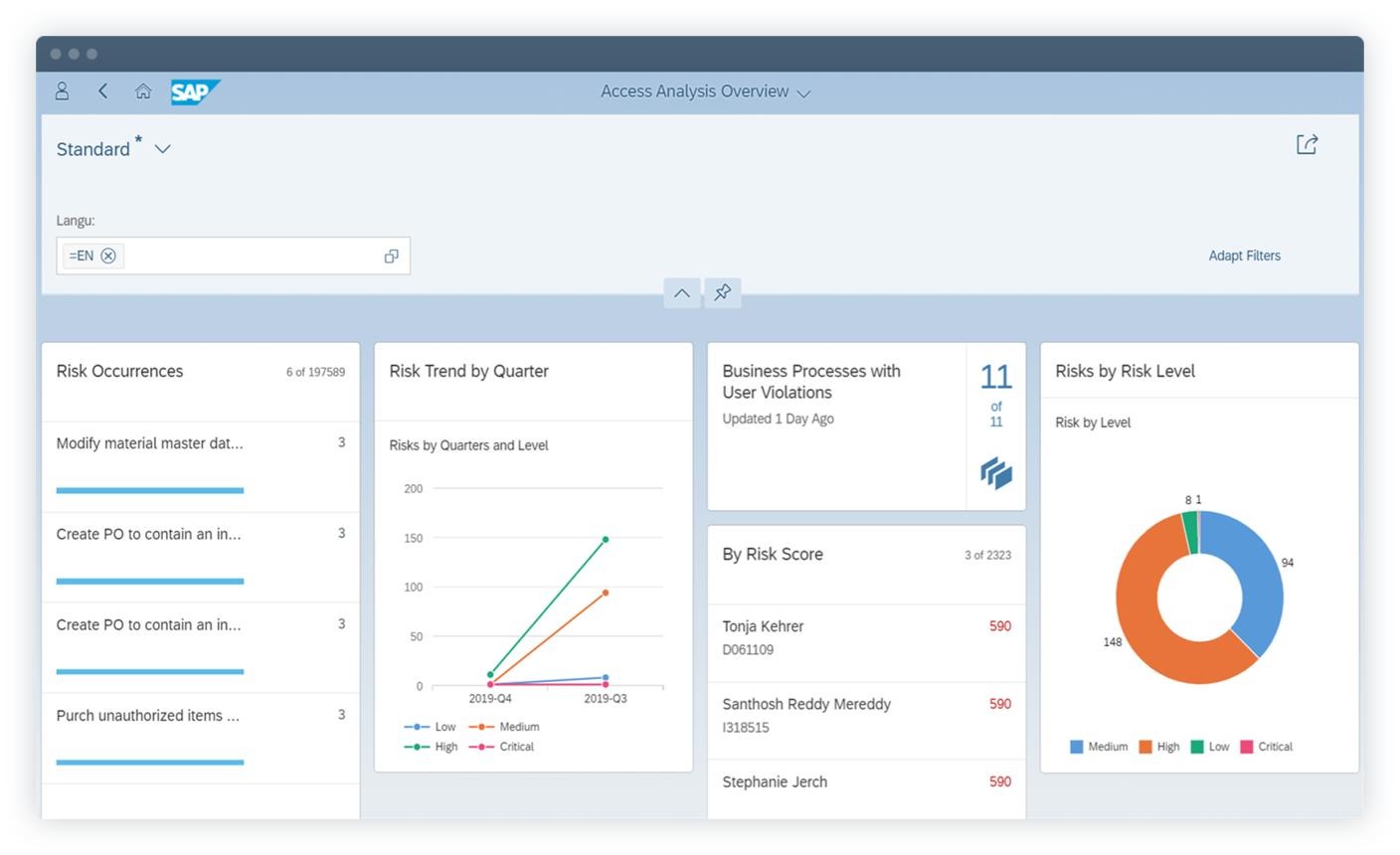
SAP Access Control enables a structured approach to the identification, assessment and resolution of access risks.
Conflicting business functions are identified and corresponding rules are configured within the ruleset. The rules specify which sets of actions and permissions generate an access risk.
Access Risk Analysis compares assigned access for users, roles and other supported objects to the rules you've established. It then pinpoints areas where SoD violations or other key access risks are likely.
The Risk owner and security teams analyze the results to see what each conflict is and what is likely to happen. They also check to see if the conflict reported could be a real business risk.
Where possible, remove the superfluous permissions or change the role assignments to remove the conflict. Restrict access to just what the user needs to perform their role.
In some cases, when responsibilities cannot be separated due to business requirements or resources, a control framework may be established in the organisation for certain controls to be defined and allocated to individuals. These controls, for example, independent transaction screening/authorisation, will also require well-defined ownership and monitoring.
Access needs evolve as individuals transfer to a new department, change jobs or leave an organisation. Scheduled SoD and user access reviews can verify that current access rights are still fit for purpose.
SAP GRC may help organisations with SoD management.
All these advantages hinge on proper rules, proper role design, proper remediation, and ongoing monitoring. SAP GRC is an enabler of the control process, but it is the responsibility of organisations to identify and operate appropriate controls.
Depending on your role, awareness of SoD may be helpful to SAP GRC consultants, SAP security and authorisation employees, internal auditors, risk and compliance specialists, as well as information technology (IT) governance personnel.
Those working in finance and finance-related fields may find it useful to learn about SoD because of how many finance processes involve sensitive activities like managing vendors, processing invoices, posting journal entries and approving payments. If you are taking SAP Finance Training, you might learn how financial processes, user roles and internal controls can all be tied together.
Segregation of Duties is an internal control principle used to mitigate the risks created by excess user access within an organisation. By segregating conflicting responsibilities, companies can increase control over sensitive processes and enhance accountability.
SAP GRC and SAP Access Control allow organisations to set access risk rules, analyse user authorizations, search for SoD conflicts, rectify unwanted access and observe mitigating controls. Learning about this information will enable SAP professionals and finance teams to be a part of a more protected and well-controlled business process.
Prompt Edify offers SAP training and corporate learning programmes to help professionals develop knowledge of SAP functional and technical areas. Whether you are exploring SAP GRC, SAP security or SAP Finance Training, understanding access controls and business processes can support your professional learning journey.
By Team Prompt Edify
Have any enquiry? Call us
+(27) 740294414
(+91) 99932-86938
wecare@promptedify.com


Prompt Edify Africa (PTY) Limited
2nd Floor, Rivonia VillageCnr Mutual Road and Rivonia Boulevard Rivonia Village, 2191
Johannesburg , South Africa
Contact : +27740294414
Prompt Edify East Africa Limited
KN 78 ST, Kagarama, Kigali, Kigali, Nyarugenge, Umujyi wa Kigali, Rwanda
Contact : +250 727 845 771
Prompt Edify Private Limited
4th Floor #15, City Vista Tower, Fountain Road,
Kharadi, Pune(MH), India.
PIN- 411014
Contact : (+91) 99932 86938



Contact Us Today!
+27740294414 | (+91) 99932 86938 | +250 727 845 771
contact@promptedify.com | wecare@promptedify.com
🌐 https://promptedify.co.za/